TypeScript — Complete Developer Guide
TypeScript is more than just typed JavaScript — it's a full safety net for your codebase. This guide takes you from primitive types to advanced generics, mapped types, and decorators, with practical examples at every step.
Published on 13 mar 2026
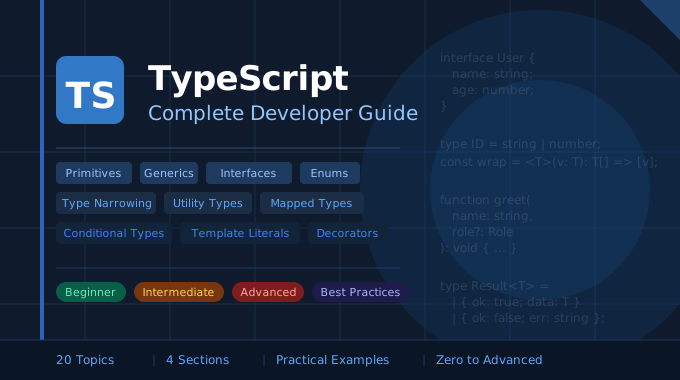
From Zero to Advanced • With Practical Examples
Section 1 — Beginner
1. Project Setup
TypeScript compiles to JavaScript, so you need Node.js installed first. The TypeScript compiler (tsc) reads your .ts files, type-checks them, and outputs plain .js files your runtime can execute. Run these commands to bootstrap any project:
# 1. Create a new npm project
npm init -y

# 2. Install TypeScript as a dev dependency
npm install typescript --save-dev

# 3. Generate tsconfig.json (project config)
npx tsc --init

# 4. Compile all .ts → .js files
npx tsc

# 5. Watch mode (recompiles on every save)
npx tsc --watch
The tsconfig.json file controls how TypeScript behaves. Key options you'll use often:
{
  "compilerOptions": {
    "target": "ES2020", // Output JS version
    "strict": true, // Enable ALL strict checks (highly recommended)
    "outDir": "./dist", // Where to put compiled .js files
    "rootDir": "./src", // Where your .ts source files live
    "moduleResolution": "node" // How module imports are resolved
  }
}
Tip: Always set
"strict": truefrom the start. Retrofitting strict mode into an existing project is painful.
2. Primitive Types
TypeScript's type system is built on top of JavaScript's primitives. The key idea is that you annotate a variable with : type to tell TypeScript what values it is allowed to hold. If you ever assign the wrong type, TypeScript flags it at compile time — before your code even runs.
// The 7 primitive types
let username: string = 'Alice';
let age: number = 30; // covers integers AND floats
let isAdmin: boolean = false;
let score: null = null;
let temp: undefined = undefined;
let uniqueKey: symbol = Symbol('key');
let bigNum: bigint = 9007199254740993n;

// TypeScript can INFER types — no annotation needed when you assign on declaration
let city = 'Hyderabad'; // inferred as string
city = 42; // ❌ Error: Type 'number' is not assignable to type 'string'

// 'any' disables type checking — avoid it, but it's an escape hatch
let mystery: any = 'hello';
mystery = 42; // ✅ no error — but you lose all safety
mystery.foo(); // ✅ no error at compile time — will crash at runtime!

// 'unknown' is the safe alternative to 'any'
let input: unknown = getUserInput();
input.toUpperCase(); // ❌ Error — must narrow first
if (typeof input === 'string') {
  input.toUpperCase(); // ✅ safe after narrowing
}
3. Type Annotations on Variables and Functions
Annotations are how you tell TypeScript the expected shape of data flowing into and out of your functions. They act as live documentation — when you hover over a function call in your editor, TypeScript shows exactly what it expects and what it returns.
// Variables
let firstName: string = 'Ravi';
let score: number = 98.5;
let passed: boolean = score >= 40;

// Function: annotate each parameter AND the return type
function add(a: number, b: number): number {
  return a + b;
}

// Arrow function — same rules apply
const multiply = (x: number, y: number): number => x * y;

// void return type — for functions that don't return a value
function logMessage(msg: string): void {
  console.log(msg);
}

// never return type — for functions that never complete (throw or infinite loop)
function crash(msg: string): never {
  throw new Error(msg);
}

// Optional parameters — use '?', must come after required params
function greet(name: string, greeting?: string): string {
  return `${greeting ?? 'Hello'}, ${name}!`;
}
greet('Priya'); // "Hello, Priya!"
greet('Priya', 'Namaste'); // "Namaste, Priya!"

// Default parameters — provides a fallback value
function createUser(name: string, role: string = 'viewer') {
  return { name, role };
}
createUser('Ananya'); // { name: 'Ananya', role: 'viewer' }
createUser('Ananya', 'admin'); // { name: 'Ananya', role: 'admin' }

// Rest parameters — gather remaining arguments into a typed array
function sum(...numbers: number[]): number {
  return numbers.reduce((total, n) => total + n, 0);
}
sum(1, 2, 3, 4); // 10
4. Type Assertions
Sometimes TypeScript doesn't have enough context to know the specific type of a value — for example, when reading from the DOM or parsing JSON. Type assertions let you tell TypeScript "trust me, I know the type here." They don't change the value at runtime; they're purely a compile-time instruction.
Important: A type assertion is a promise to the compiler. If you get it wrong, you'll get a runtime error — TypeScript won't protect you. Use assertions only when you're certain.
// The DOM example — getElementById returns 'HTMLElement | null'
// TypeScript doesn't know it's specifically an <input> element
const myInput = document.getElementById('user-input') as HTMLInputElement;

// Now you can access input-specific properties without errors
console.log(myInput.value); // ✅ TypeScript knows .value exists on HTMLInputElement

// Without the assertion, this would be an error:
const rawEl = document.getElementById('user-input');
console.log(rawEl.value); // ❌ Error: Property 'value' does not exist on 'HTMLElement'

// Angle-bracket syntax — equivalent, but doesn't work in .tsx (React) files
const myInput2 = <HTMLInputElement>document.getElementById('user-input');

// Non-null assertion operator '!' — tells TypeScript "this is not null/undefined"
const canvas = document.getElementById('canvas')!; // removes null from the type

// Better alternative to '!' — use a runtime null check instead
const canvasEl = document.getElementById('canvas');
if (canvasEl) {
  // TypeScript automatically narrows to HTMLElement here — no assertion needed
  canvasEl.style.display = 'block';
}

// Type assertion with parsed JSON
const rawData = '{"id": 1, "name": "Alice"}';
const user = JSON.parse(rawData) as { id: number; name: string };
console.log(user.name); // ✅ TypeScript knows the shape

// Double assertion — use ONLY as a last resort, it's always a code smell
const value = 'hello' as unknown as number; // forces an incompatible assertion
5. Arrays and Tuples
TypeScript extends JavaScript arrays with strict element typing. You can declare both the shape of individual elements and the exact length and position of items using tuples.
// ── Arrays ─────────────────────────────────────────────────────────

// Two equivalent syntax styles
let scores: number[] = [95, 87, 76];
let names: Array<string> = ['Alice', 'Bob'];

// Mixed-type array using union
let mixed: (string | number)[] = ['Alice', 30, 'Bob', 25];

// 2D array
let matrix: number[][] = [
  [1, 2],
  [3, 4],
];

// Readonly array — calling push/pop/splice is a compile-time error
const COLORS: readonly string[] = ['red', 'green', 'blue'];
COLORS.push('yellow'); // ❌ Error: Property 'push' does not exist on 'readonly string[]'
COLORS[0] = 'pink'; // ❌ Error: Index signature only permits reading

// Array of objects
interface Product {
  id: number;
  name: string;
  price: number;
}
let products: Product[] = [
  { id: 1, name: 'Laptop', price: 75000 },
  { id: 2, name: 'Mouse', price: 850 },
];

// ── Tuples ──────────────────────────────────────────────────────────
// A tuple is a fixed-length array where each index has a specific known type.
// Use it when the position of a value carries meaning.

let coordinate: [number, number] = [13.08, 80.27]; // [latitude, longitude]
let person: [string, number] = ['Alice', 30]; // [name, age]

// Accessing tuple elements
const [lat, lng] = coordinate; // destructuring works naturally
console.log(person[0].toUpperCase()); // 'ALICE' — TS knows index 0 is string
console.log(person[1].toFixed(2)); // '30.00' — TS knows index 1 is number

// Named tuples (TypeScript 4.0+) — labels are for readability only
type RGB = [red: number, green: number, blue: number];
const primaryBlue: RGB = [0, 0, 255];

// Tuple with optional element
type Config = [string, number?]; // second element is optional
const c1: Config = ['localhost']; // ✅
const c2: Config = ['localhost', 3000]; // ✅

// Tuple with rest elements — useful for variadic signatures
type StringsAndNumber = [string, ...string[], number];
const data: StringsAndNumber = ['a', 'b', 'c', 42]; // last element must be number
Section 2 — Intermediate
6. Interface vs. Type Alias
In TypeScript, Interfaces and Type Aliases are often used for the same thing: defining the shape of an object. While they look similar on the surface, they have different "superpowers" and the community has clear conventions for when to use each.
At a Glance
| Feature | interface | type alias |
|---|---|---|
| Primary goal | Describing data shapes (objects) | General-purpose type definitions |
| Extend / compose | extends keyword | & (Intersection) |
| Primitives & unions | ❌ No | ✅ Yes |
| Declaration merging | ✅ Automatic | ❌ Not allowed |
| Computed properties | ❌ No | ✅ Yes |
| Best used for | API contracts, OOP, libraries | Unions, tuples, complex type logic |
The "Interface" Way
Interfaces are designed to be open — they can be extended and even re-declared later to add more properties. This makes them the industry standard for defining APIs and library contracts.
Declaration Merging
If you declare two interfaces with the same name, TypeScript automatically merges them into one. This is impossible with type:
interface User {
  name: string;
}

interface User {
  age: number;
}

const person: User = {}; // Type '{}' is missing the following properties from type 'User': name, age(2739)

// Result: User now has BOTH name AND age
const person: User = { name: 'Ravi', age: 30 }; // ✅
This is especially useful for extending third-party library types (like augmenting the global Window object):
// Extend the built-in Window interface without touching library code
interface Window {
  myAnalyticsLib: { track(event: string): void };
}
window.myAnalyticsLib.track('page_view'); // ✅ TypeScript knows this exists
Classic Inheritance
Interfaces use the extends keyword, which is highly readable and slightly more performant for the compiler to process:
interface Animal {
  species: string;
  sound(): string;
}

interface Dog extends Animal {
  breed: string;
}

const rex: Dog = { species: 'Canine', breed: 'Labrador', sound: () => 'Woof' };

// Multiple inheritance — interfaces can extend several others at once
interface ServiceDog extends Dog {
  certificationId: string;
}
The "Type Alias" Way
A type is closed — once defined, you cannot add more properties by re-declaring it. But it wins on versatility: it can represent anything, not just object shapes.
Unions and Primitives
This is where type clearly wins. You cannot use an interface to define a union or rename a primitive:
type ID = string | number; // Union — interface can't do this
type Callback = () => void; // Function alias
type Name = string; // Primitive alias
type Nullable<T> = T | null; // Generic utility
Composition via Intersections
Instead of extends, types use the & (Intersection) operator to combine shapes:
type Name = { name: string };
type Age = { age: number };
type Person = Name & Age; // must have both name AND age

const p: Person = { name: 'Alice', age: 30 }; // ✅
Which One Should You Use?
The general rule from the TypeScript community and official docs:
-
Use
interfacefor most object definitions — especially for public APIs, library contracts, and anything you expect others to extend. It provides slightly better error messages and is the conventional choice for "what shape is this data." -
Use
typewhen you need unions, tuples, primitives, or mapped/conditional types. Also prefer it when you specifically want to prevent declaration merging.
Real-World Example: React Props
When building a React component, both work — but many developers prefer type for props because props are a fixed, closed contract:
// ✅ Preferred for React props — closed contract, supports inline unions
type ButtonProps = {
  label: string;
  variant: 'primary' | 'secondary' | 'danger'; // Union — only type can do this inline
  size?: 'sm' | 'md' | 'lg';
  onClick: () => void;
};

function Button({ label, variant, size = 'md', onClick }: ButtonProps) {
  return <button className={`btn btn-${variant} btn-${size}`} onClick={onClick}>{label}</button>;
}

// ✅ Preferred for data models and APIs — consumers can extend it
interface UserProfile {
  id: number;
  name: string;
  email: string;
}

// A downstream team can extend without touching the original definition
interface AdminProfile extends UserProfile {
  permissions: string[];
}
7. Union and Intersection Types
Union and intersection types let you compose types out of other types, like set theory for your code. Union means "either/or"; intersection means "both/and."
// ── Union ( | ) — value can be ONE of several types ─────────────────

let id: string | number;
id = 101; // ✅
id = 'USR-42'; // ✅
id = true; // ❌ Error: Type 'boolean' is not assignable to type 'string | number'

// Union in a function — TypeScript forces you to handle every case
function formatId(id: string | number): string {
  if (typeof id === 'number') {
    return id.toFixed(0).padStart(5, '0'); // '00042'
  }
  return id.toUpperCase(); // TypeScript knows id is string here
}

// ── Discriminated Union — the safest pattern for branching ──────────
// Add a literal "tag" property to each variant. TypeScript uses it to
// narrow the type inside a switch/if without any explicit casting.

type Circle = { shape: 'circle'; radius: number };
type Rectangle = { shape: 'rectangle'; width: number; height: number };
type Triangle = { shape: 'triangle'; base: number; height: number };
type Shape = Circle | Rectangle | Triangle;

function area(s: Shape): number {
  switch (s.shape) {
    case 'circle':
      return Math.PI * s.radius ** 2;
    case 'rectangle':
      return s.width * s.height;
    case 'triangle':
      return 0.5 * s.base * s.height;
    // Add a new shape to the union and forget a case here?
    // The compiler will warn you — powerful exhaustive checking!
  }
}

// ── Intersection ( & ) — value must satisfy ALL types ────────────────

type Serializable = { serialize(): string };
type Loggable = { log(): void };
type Identifiable = { id: string };
type Service = Serializable & Loggable & Identifiable;

const svc: Service = {
  id: 'svc-001',
  serialize: () => JSON.stringify({ id: 'svc-001' }),
  log: () => console.log('svc-001 called'),
};

// Practical use: merging a base type with extra context
type WithTimestamps<T> = T & { createdAt: Date; updatedAt: Date };
type AuditedUser = WithTimestamps<UserProfile>;
// AuditedUser has all UserProfile fields PLUS createdAt and updatedAt
8. Enums
Enums let you define a collection of named constants so your code reads like natural language instead of magic numbers or raw strings. They also appear in error messages, making debugging much easier.
// ── Numeric enum — auto-increments from 0 ────────────────────────────
enum Direction {
  Up,
  Down,
  Left,
  Right,
}
// Up=0, Down=1, Left=2, Right=3

function move(dir: Direction) {
  if (dir === Direction.Up) console.log('Moving up!');
}
move(Direction.Up); // ✅

// Start at a specific number
enum Priority {
  Low = 1,
  Medium = 2,
  High = 3,
  Critical = 4,
}

// ── String enum — recommended over numeric for safety and readability ─
enum Role {
  Admin = 'ADMIN',
  Editor = 'EDITOR',
  Viewer = 'VIEWER',
}

function checkAccess(role: Role): boolean {
  return role === Role.Admin;
}
checkAccess(Role.Admin); // ✅
checkAccess('ADMIN'); // ❌ Error — Argument of type '"ADMIN"' is not assignable to parameter of type 'Role'

// ── Const enum — fully erased at compile time (zero runtime cost) ─────
const enum HttpStatus {
  OK = 200,
  Created = 201,
  BadRequest = 400,
  Unauthorized = 401,
  NotFound = 404,
  ServerError = 500,
}

function handleResponse(status: HttpStatus) {
  if (status === HttpStatus.NotFound) {
    console.log('Resource not found');
  }
}
// Compiles to: if (status === 404) { ... }  — no enum object in output

// ── Reverse mapping (numeric enums only) ──────────────────────────────
enum Season {
  Spring,
  Summer,
  Autumn,
  Winter,
}
console.log(Season[0]); // 'Spring' — number → name
console.log(Season.Summer); // 1        — name → number
console.log(Season[Season.Autumn]); // 'Autumn' — useful for logging

// ── Enum as a type — restrict parameters to valid values ──────────────
interface Task {
  title: string;
  status: HttpStatus;
  assigneeRole: Role;
}
9. Built-in Utility Types
Utility types are TypeScript's built-in type transformers. Instead of copy-pasting and modifying interface definitions, you describe the transformation you want and TypeScript generates the result.
interface User {
  id: number;
  name: string;
  email: string;
  age: number;
}

// ── Partial<T> — makes ALL properties optional ─────────────────────
// Great for update/patch functions where you only send changed fields
function updateUser(id: number, data: Partial<User>): User {
  return { ...getCurrentUser(id), ...data };
}
updateUser(1, { name: 'Bob' }); // ✅ no need for all fields
updateUser(1, { name: 'Bob', age: 31 }); // ✅

// ── Required<T> — makes ALL properties mandatory ────────────────────
type CompleteUser = Required<User>; // removes all '?' modifiers

// ── Readonly<T> — prevents mutation after creation ──────────────────
const config: Readonly<User> = { id: 1, name: 'Admin', email: 'a@b.com', age: 30 };
config.name = 'Hacker'; // ❌ Error: Cannot assign to 'name' because it is a read-only property

// ── Pick<T, Keys> — extract only the keys you need ──────────────────
type UserSummary = Pick<User, 'id' | 'name'>;
// { id: number; name: string }
type UserContact = Pick<User, 'name' | 'email'>;

// ── Omit<T, Keys> — remove specific keys ────────────────────────────
type PublicUser = Omit<User, 'email'>; // hide sensitive fields
type UserWithoutId = Omit<User, 'id'>; // useful for "create" payloads

// ── Record<Keys, ValueType> — build a map/dictionary type ───────────
type ScoreMap = Record<string, number>;
const scores: ScoreMap = { Alice: 95, Bob: 87, Charlie: 72 };

// Record with a union key — enforces all cases are handled
type StatusLabels = Record<'pending' | 'active' | 'closed', string>;
const labels: StatusLabels = { pending: 'Awaiting', active: 'Running', closed: 'Done' };

// ── Exclude<T, U> — remove specific types from a union ──────────────
type Primitive = string | number | boolean | null;
type NotNull = Exclude<Primitive, null>; // string | number | boolean

// ── Extract<T, U> — keep only types assignable to U ─────────────────
type Numbers = Extract<string | number | boolean, number>; // number

// ── NonNullable<T> — strips null and undefined ───────────────────────
type SafeString = NonNullable<string | null | undefined>; // string

// ── ReturnType<T> — get the return type of a function ───────────────
function buildConfig() {
  return { host: 'localhost', port: 3000, ssl: false };
}
type AppConfig = ReturnType<typeof buildConfig>;
// { host: string; port: number; ssl: boolean }

// ── Parameters<T> — get parameter types as a tuple ──────────────────
function createEvent(name: string, timestamp: number, payload: object) {}
type CreateEventParams = Parameters<typeof createEvent>;
// [name: string, timestamp: number, payload: object]

// ── Awaited<T> — unwrap a Promise type ──────────────────────────────
async function fetchProfile(): Promise<User> {
  return {} as User;
}
type Profile = Awaited<ReturnType<typeof fetchProfile>>; // User
10. Type Narrowing
TypeScript starts with the widest possible type (e.g., string | number | null) and progressively "narrows" it down as it reads your control flow. Understanding narrowing is what separates good TypeScript from merely "annotated JavaScript."
// ── typeof narrowing — works for primitives ──────────────────────────
function printId(id: number | string) {
  if (typeof id === 'string') {
    // TypeScript knows id is 'string' inside this block
    console.log(id.toUpperCase());
  } else {
    // TypeScript knows id is 'number' inside this block
    console.log(id.toFixed(2));
  }
}

// ── instanceof narrowing — works for class instances ─────────────────
class ApiError extends Error {
  constructor(
    public statusCode: number,
    message: string,
  ) {
    super(message);
  }
}

function handleError(err: Error | ApiError) {
  if (err instanceof ApiError) {
    console.log(`HTTP ${err.statusCode}: ${err.message}`); // ApiError fields available
  } else {
    console.log(`Error: ${err.message}`);
  }
}

// ── 'in' narrowing — check if a property exists ──────────────────────
type Cat = { meow(): void };
type Dog = { bark(): void; fetch(): void };

function interact(pet: Cat | Dog) {
  if ('meow' in pet) {
    pet.meow(); // TypeScript knows it's a Cat
  } else {
    pet.bark(); // TypeScript knows it's a Dog
  }
}

// ── Truthiness narrowing — filters out falsy values ───────────────────
function greet(name: string | null | undefined) {
  if (name) {
    // name is 'string' here (null and undefined are falsy)
    console.log(`Hello, ${name.toUpperCase()}`);
  } else {
    console.log('Hello, stranger!');
  }
}

// ── Discriminated union narrowing ─────────────────────────────────────
type Result<T> = { success: true; data: T } | { success: false; error: string };

function handleResult(result: Result<User>) {
  if (result.success) {
    console.log(result.data.name); // 'data' available here
  } else {
    console.log(result.error); // 'error' available here
  }
}

// ── Exhaustive check — catch missing cases at compile time ─────────────
type Status = 'pending' | 'active' | 'closed';

function getStatusLabel(status: Status): string {
  switch (status) {
    case 'pending':
      return 'Awaiting review';
    case 'active':
      return 'In progress';
    case 'closed':
      return 'Completed';
    default:
      // Add a new Status and forget a case? TypeScript errors here.
      const _exhaustive: never = status;
      throw new Error(`Unhandled status: ${_exhaustive}`);
  }
}
Section 3 — Advanced
11. Generics
Generics are TypeScript's solution to writing reusable code without sacrificing type safety. Instead of using any (which loses all type information), you use a type parameter (<T>) that acts like a variable for types — it gets filled in with the actual type when the function or class is used.
// ── Without generics — you'd need separate functions or use 'any' ─────
function wrapNumberInArray(val: number): number[] {
  return [val];
}
function wrapStringInArray(val: string): string[] {
  return [val];
}

// ── With generics — one function, full type safety ────────────────────
function wrapInArray<T>(value: T): T[] {
  return [value];
}
const numArr = wrapInArray(10); // T inferred as number → number[]
const strArr = wrapInArray('hello'); // T inferred as string → string[]

// ── Multiple type parameters ───────────────────────────────────────────
function pair<A, B>(first: A, second: B): [A, B] {
  return [first, second];
}
const result = pair('age', 30); // [string, number]

// ── Generic constraints — restrict what T can be ─────────────────────
function printLength<T extends { length: number }>(value: T): void {
  console.log(`Length: ${value.length}`);
}
printLength('hello'); // ✅ strings have .length
printLength([1, 2, 3]); // ✅ arrays have .length
printLength(42); // ❌ Error: numbers don't have .length

// ── Generic interface — describe a reusable contract ─────────────────
interface Repository<T> {
  findById(id: number): Promise<T | null>;
  findAll(): Promise<T[]>;
  save(item: T): Promise<T>;
  delete(id: number): Promise<void>;
}

class UserRepository implements Repository<User> {
  async findById(id: number) {
    return null;
  }
  async findAll() {
    return [];
  }
  async save(user: User) {
    return user;
  }
  async delete(id: number) {}
}

// ── Generic class ─────────────────────────────────────────────────────
class Stack<T> {
  private items: T[] = [];

  push(item: T): void {
    this.items.push(item);
  }
  pop(): T | undefined {
    return this.items.pop();
  }
  peek(): T | undefined {
    return this.items[this.items.length - 1];
  }
  isEmpty(): boolean {
    return this.items.length === 0;
  }
  get size(): number {
    return this.items.length;
  }
}

const numStack = new Stack<number>();
numStack.push(10);
numStack.push(20);
console.log(numStack.peek()); // 20
console.log(numStack.pop()); // 20
console.log(numStack.size); // 1

// ── Generic utility function — practical example ──────────────────────
function groupBy<T, K extends string>(items: T[], key: (item: T) => K): Record<K, T[]> {
  return items.reduce(
    (acc, item) => {
      const group = key(item);
      if (!acc[group]) acc[group] = [];
      acc[group].push(item);
      return acc;
    },
    {} as Record<K, T[]>,
  );
}

const users = [
  { name: 'Alice', role: 'admin' },
  { name: 'Bob', role: 'viewer' },
  { name: 'Carol', role: 'admin' },
];
const grouped = groupBy(users, (u) => u.role);
// { admin: [{name:'Alice',...}, {name:'Carol',...}], viewer: [{name:'Bob',...}] }
12. Conditional Types
Conditional types let you choose a type based on a condition, using the same ternary syntax as JavaScript: T extends U ? TrueType : FalseType. They unlock powerful type transformations that would be impossible otherwise.
// ── Basic conditional — ternary for types ─────────────────────────────
type IsString<T> = T extends string ? 'yes' : 'no';
type A = IsString<string>; // 'yes'
type B = IsString<number>; // 'no'

// ── Practical: flatten an array type ──────────────────────────────────
type Flatten<T> = T extends Array<infer Item> ? Item : T;
type StrElement = Flatten<string[]>; // string
type NotArray = Flatten<boolean>; // boolean (not an array, returns T)

// ── 'infer' keyword — extract a type from within another type ─────────
// infer says: "figure out this type and give it a name I can use on the right"

type MyReturnType<T> = T extends (...args: any[]) => infer R ? R : never;
function getScore(): number {
  return 100;
}
type Score = MyReturnType<typeof getScore>; // number

// Unwrap a Promise (recursive!)
type Awaited<T> = T extends Promise<infer U> ? Awaited<U> : T;
type X = Awaited<Promise<string>>; // string
type Y = Awaited<Promise<Promise<number>>>; // number

// Extract the first parameter type
type FirstParam<T> = T extends (first: infer F, ...args: any[]) => any ? F : never;
function greet(name: string, age: number) {}
type NameParam = FirstParam<typeof greet>; // string

// ── Distributive conditional — auto-maps over union members ───────────
type ToArray<T> = T extends any ? T[] : never;
type StrOrNumArr = ToArray<string | number>;
// string[] | number[]

// ── Filter types from a union ─────────────────────────────────────────
type OnlyStrings<T> = T extends string ? T : never;
type Filtered = OnlyStrings<'a' | 42 | 'b' | true>; // 'a' | 'b'
13. Mapped Types
Mapped types let you create new types by iterating over the keys of an existing type and transforming each property. Think of them as a map() function, but for object types at compile time.
// ── Basic mapped type — transform every property ──────────────────────
type Nullable<T> = { [K in keyof T]: T[K] | null };

interface User {
  id: number;
  name: string;
  email: string;
}
type NullableUser = Nullable<User>;
// { id: number | null; name: string | null; email: string | null }

// ── Modifier control with + and - ─────────────────────────────────────
// '-?' removes the optional modifier, '-readonly' removes readonly
type Mutable<T> = { -readonly [K in keyof T]-?: T[K] };
type DeepReadonly<T> = { +readonly [K in keyof T]+?: T[K] };

// ── Remap keys with 'as' ───────────────────────────────────────────────
// Generate getter method names from a data interface
type Getters<T> = {
  [K in keyof T as `get${Capitalize<string & K>}`]: () => T[K];
};

type UserGetters = Getters<User>;
// { getId: () => number; getName: () => string; getEmail: () => string }

// Generate setter method names
type Setters<T> = {
  [K in keyof T as `set${Capitalize<string & K>}`]: (value: T[K]) => void;
};

// ── Filter properties by their value type ─────────────────────────────
type PickByValue<T, V> = {
  [K in keyof T as T[K] extends V ? K : never]: T[K];
};

interface Config {
  host: string;
  port: number;
  ssl: boolean;
  timeout: number;
}
type NumberProps = PickByValue<Config, number>; // { port: number; timeout: number }
type StringProps = PickByValue<Config, string>; // { host: string }

// ── Practical: generate typed event callbacks from a model ────────────
type EntityEvents<T> = {
  [K in keyof T as `on${Capitalize<string & K>}Change`]: (newValue: T[K]) => void;
};

type UserEvents = EntityEvents<User>;
// {
//   onIdChange:    (newValue: number) => void;
//   onNameChange:  (newValue: string) => void;
//   onEmailChange: (newValue: string) => void;
// }
14. Template Literal Types
Template literal types use the same backtick syntax as JavaScript template strings, but at the type level. They let you build new string literal types by concatenating and transforming other string literal types.
// ── Basic combination — create all variants automatically ─────────────
type Side = 'top' | 'right' | 'bottom' | 'left';
type CSSProp = `margin-${Side}`;
// 'margin-top' | 'margin-right' | 'margin-bottom' | 'margin-left'

// Cross-product of two unions
type Color = 'red' | 'blue';
type Shade = 'light' | 'dark';
type ColorVariant = `${Shade}-${Color}`;
// 'light-red' | 'light-blue' | 'dark-red' | 'dark-blue'

// ── Type-safe event names ─────────────────────────────────────────────
type EventName<T extends string> = `on${Capitalize<T>}`;
type ClickHandler = EventName<'click'>; // 'onClick'

// ── Strict URL builder — enforce shape at compile time ────────────────
type ApiVersion = 'v1' | 'v2';
type ApiRoute = `/api/${ApiVersion}/${string}`;
const route: ApiRoute = '/api/v1/users'; // ✅
const bad: ApiRoute = '/api/v3/users'; // ❌ 'v3' is not a valid version

// ── Intrinsic string manipulation utilities ────────────────────────────
type Upper = Uppercase<'hello'>; // 'HELLO'
type Lower = Lowercase<'WORLD'>; // 'world'
type Cap = Capitalize<'typescript'>; // 'Typescript'
type Uncap = Uncapitalize<'TypeScript'>; // 'typeScript'

// ── Real-world: type-safe i18n key system ─────────────────────────────
type Namespace = 'auth' | 'dashboard' | 'profile';
type Key = 'title' | 'subtitle' | 'button';
type I18nKey = `${Namespace}.${Key}`;
// 'auth.title' | 'auth.subtitle' | 'dashboard.title' | ...

function t(key: I18nKey): string {
  return translations[key] ?? key;
}
t('auth.title'); // ✅
t('auth.typo'); // ❌ Error — not a valid key
t('payments.title'); // ❌ Error — not a valid namespace

// ── Combined with mapped types ─────────────────────────────────────────
type Events = 'click' | 'focus' | 'blur' | 'change';
type EventHandlers = {
  [K in Events as `on${Capitalize<K>}`]: (e: Event) => void;
};
// { onClick: ...; onFocus: ...; onBlur: ...; onChange: ... }
15. Function Overloading
Function overloading lets you declare multiple signatures for the same function — different input/output type combinations. The caller sees only the overload signatures; the implementation signature is hidden and handles all cases internally.
Rule: The implementation signature must be compatible with every overload above it. It is never directly callable by the user.
// ── Basic overloading ─────────────────────────────────────────────────
function parseInput(input: string): number;
function parseInput(input: number): string;
function parseInput(input: string | number): string | number {
  if (typeof input === 'string') return parseInt(input, 10);
  return input.toString();
}

const num: number = parseInput('42'); // TypeScript knows return is number
const str: string = parseInput(99); // TypeScript knows return is string

// ── Overload with a conditional return — DOM element factory ──────────
function createElement(tag: 'a'): HTMLAnchorElement;
function createElement(tag: 'img'): HTMLImageElement;
function createElement(tag: 'input'): HTMLInputElement;
function createElement(tag: string): HTMLElement {
  return document.createElement(tag);
}

const anchor = createElement('a'); // typed as HTMLAnchorElement
const img = createElement('img'); // typed as HTMLImageElement
anchor.href = '/home'; // ✅ .href exists on HTMLAnchorElement
img.src = '/logo.png'; // ✅ .src exists on HTMLImageElement

// ── Date factory overload ─────────────────────────────────────────────
function makeDate(timestamp: number): Date;
function makeDate(year: number, month: number, day: number): Date;
function makeDate(yOrTs: number, month?: number, day?: number): Date {
  if (month !== undefined && day !== undefined) {
    return new Date(yOrTs, month - 1, day);
  }
  return new Date(yOrTs);
}

const d1 = makeDate(1712345678000); // from timestamp
const d2 = makeDate(2024, 4, 15); // from year/month/day
makeDate(2024, 4); // ❌ Error — no overload matches 2 args

// ── Method overloads in a class ───────────────────────────────────────
class Formatter {
  format(value: string): string;
  format(value: number, decimals?: number): string;
  format(value: Date, locale?: string): string;
  format(value: string | number | Date, extra?: number | string): string {
    if (typeof value === 'string') return value.trim().toLowerCase();
    if (typeof value === 'number') return value.toFixed((extra as number) ?? 2);
    return value.toLocaleDateString((extra as string) ?? 'en-IN');
  }
}

const f = new Formatter();
f.format('  Hello  '); // 'hello'
f.format(3.14159, 2); // '3.14'
f.format(new Date(), 'hi'); // localized date string
16. Decorators (Experimental)
Decorators let you attach reusable metadata and behavior to classes, methods, and properties using the @decorator syntax. They're widely used in frameworks like Angular, NestJS, and TypeORM. Enable with "experimentalDecorators": true in tsconfig.json.
// ── Class decorator — adds metadata or modifies the class ─────────────
function Component(tag: string) {
  return function (constructor: Function) {
    constructor.prototype.tagName = tag;
    constructor.prototype.render = function () {
      return `<${tag}>${this.label}</${tag}>`;
    };
  };
}

@Component('app-button')
class Button {
  label = 'Click me';
}

const btn = new Button() as any;
console.log(btn.render()); // <app-button>Click me</app-button>

// ── Method decorator — wrap a method with extra behavior ──────────────
function Log(target: any, propertyKey: string, descriptor: PropertyDescriptor) {
  const original = descriptor.value;
  descriptor.value = function (...args: any[]) {
    console.log(`[LOG] ${propertyKey} called with:`, args);
    const result = original.apply(this, args);
    console.log(`[LOG] ${propertyKey} returned:`, result);
    return result;
  };
  return descriptor;
}

// ── Method decorator — memoize expensive computations ─────────────────
function Memoize(target: any, key: string, descriptor: PropertyDescriptor) {
  const original = descriptor.value;
  const cache = new Map<string, any>();
  descriptor.value = function (...args: any[]) {
    const cacheKey = JSON.stringify(args);
    if (cache.has(cacheKey)) {
      console.log(`[CACHE HIT] ${key}`);
      return cache.get(cacheKey);
    }
    const result = original.apply(this, args);
    cache.set(cacheKey, result);
    return result;
  };
}

class MathService {
  @Log
  add(a: number, b: number): number {
    return a + b;
  }

  @Memoize
  fibonacci(n: number): number {
    if (n <= 1) return n;
    return this.fibonacci(n - 1) + this.fibonacci(n - 2);
  }
}

const svc = new MathService();
svc.add(2, 3); // logs input and output
svc.fibonacci(10); // computed
svc.fibonacci(10); // [CACHE HIT] — returns instantly

// ── Property decorator — validate on assignment ────────────────────────
function MinLength(min: number) {
  return function (target: any, key: string) {
    let value: string;
    Object.defineProperty(target, key, {
      get: () => value,
      set: (v: string) => {
        if (v.length < min) throw new Error(`${key} must be at least ${min} chars`);
        value = v;
      },
    });
  };
}

class UserModel {
  @MinLength(3)
  name: string = '';
}

const u = new UserModel();
u.name = 'Al'; // ❌ throws: name must be at least 3 chars
u.name = 'Alice'; // ✅
17. keyof and typeof Operators
keyof and typeof are TypeScript's two most important "meta" operators. They bridge the gap between your runtime values and your compile-time types.
// ── keyof — get a union of all property names of a type ───────────────
interface Config {
  host: string;
  port: number;
  ssl: boolean;
  timeout: number;
}
type ConfigKey = keyof Config; // 'host' | 'port' | 'ssl' | 'timeout'

// Practical: type-safe property accessor
function getConfigValue<T, K extends keyof T>(obj: T, key: K): T[K] {
  return obj[key]; // T[K] is the type at that specific key
}

const config = { host: 'localhost', port: 3000, ssl: false, timeout: 5000 };
const host = getConfigValue(config, 'host'); // type: string ✅
const port = getConfigValue(config, 'port'); // type: number ✅
const invalid = getConfigValue(config, 'retry'); // ❌ Error: not a key of Config

// ── Indexed access type T[K] — get the type at a specific key ─────────
type PortType = Config['port']; // number
type HostOrPort = Config['host' | 'port']; // string | number
type AllValues = Config[keyof Config]; // string | number | boolean

// ── typeof — get the TYPE of a runtime value ──────────────────────────
const palette = { primary: '#3B82F6', danger: '#EF4444', success: '#10B981' };

type Palette = typeof palette; // { primary: string; danger: string; success: string }
type PaletteKey = keyof typeof palette; // 'primary' | 'danger' | 'success'

function getColor(key: PaletteKey): string {
  return palette[key];
}
getColor('primary'); // ✅
getColor('purple'); // ❌ Error

// ── typeof with functions ─────────────────────────────────────────────
function createUser(name: string, role: 'admin' | 'viewer') {
  return { id: Math.random(), name, role, createdAt: new Date() };
}

type UserShape = ReturnType<typeof createUser>;
// { id: number; name: string; role: 'admin' | 'viewer'; createdAt: Date }

type CreateParams = Parameters<typeof createUser>;
// [name: string, role: 'admin' | 'viewer']

// ── Practical: const objects as enums (preferred by many teams) ────────
const ROUTES = {
  HOME: '/',
  ABOUT: '/about',
  DASHBOARD: '/dashboard',
  SETTINGS: '/settings',
} as const; // 'as const' — all values become readonly literal types

type RoutePath = (typeof ROUTES)[keyof typeof ROUTES];
// '/' | '/about' | '/dashboard' | '/settings'

function navigate(path: RoutePath) {
  /* ... */
}
navigate(ROUTES.HOME); // ✅
navigate('/about'); // ✅ — the literal string also works
navigate('/payments'); // ❌ Error — not a valid path
Section 4 — Best Practices
18. Type Guards (Custom Narrowing)
Built-in narrowing (typeof, instanceof, in) covers most cases, but sometimes you need to teach TypeScript how to recognize a custom type. A type guard is a function that returns a type predicate — a special return type that tells the compiler "if this returns true, then the value is this type."
// ── Type predicate syntax: 'value is Type' ────────────────────────────
function isString(value: unknown): value is string {
  return typeof value === 'string';
}

function isNonNull<T>(value: T | null | undefined): value is T {
  return value !== null && value !== undefined;
}

// Clean up arrays containing nulls in one line
const rawValues = ['Alice', null, 'Bob', undefined, 'Carol'];
const names = rawValues.filter(isNonNull); // string[] — nulls removed ✅

// ── Guard for a specific interface shape ─────────────────────────────
interface UserData {
  id: number;
  name: string;
  email: string;
}

function isUserData(obj: unknown): obj is UserData {
  return (
    typeof obj === 'object' &&
    obj !== null &&
    'id' in obj &&
    typeof (obj as any).id === 'number' &&
    'name' in obj &&
    typeof (obj as any).name === 'string' &&
    'email' in obj &&
    typeof (obj as any).email === 'string'
  );
}

// ── Usage: safe parsing of an API response ────────────────────────────
async function fetchUser(id: number): Promise<UserData> {
  const res = await fetch(`/api/users/${id}`);
  const json = await res.json(); // type: any

  if (!isUserData(json)) {
    throw new Error(`Invalid response shape: ${JSON.stringify(json)}`);
  }

  return json; // TypeScript now knows this is UserData ✅
}

// ── Assertion function — throws instead of returning boolean ──────────
// TypeScript 3.7+ supports 'asserts' predicates
function assertIsString(value: unknown): asserts value is string {
  if (typeof value !== 'string') {
    throw new TypeError(`Expected string, got ${typeof value}`);
  }
}

function processInput(value: unknown) {
  assertIsString(value);
  console.log(value.toUpperCase()); // ✅ TypeScript knows it's a string here
}

// ── Discriminated union guard ─────────────────────────────────────────
type SuccessResponse = { status: 'success'; data: UserData };
type ErrorResponse = { status: 'error'; message: string };
type ApiResponse = SuccessResponse | ErrorResponse;

function isSuccess(res: ApiResponse): res is SuccessResponse {
  return res.status === 'success';
}

function handleApiResponse(res: ApiResponse) {
  if (isSuccess(res)) {
    console.log(`Welcome, ${res.data.name}`); // SuccessResponse fields ✅
  } else {
    console.error(`Failed: ${res.message}`); // ErrorResponse fields ✅
  }
}
19. Strict Mode Best Practices
TypeScript's strict mode is a collection of compiler flags that together eliminate entire categories of runtime bugs. Turning it on is the single highest-leverage thing you can do for code quality.
{
  "compilerOptions": {
    "strict": true,
    // 'strict: true' is shorthand for ALL of these:
    "noImplicitAny": true, // Forbid implicit 'any'
    "strictNullChecks": true, // null/undefined not assignable to other types
    "strictFunctionTypes": true, // Safer function parameter types
    "strictBindCallApply": true, // Type-check .bind(), .call(), .apply()
    "strictPropertyInitialization": true, // Class props must be initialized in constructor
    "noImplicitThis": true, // 'this' must have an explicit type
    "useUnknownInCatchVariables": true, // Caught errors are 'unknown', not 'any'

    // Additional recommended flags (not in 'strict'):
    "noUnusedLocals": true, // Warn on unused local variables
    "noUnusedParameters": true, // Warn on unused function parameters
    "noImplicitReturns": true, // All code paths must return a value
    "noFallthroughCasesInSwitch": true, // Prevent accidental switch fallthrough
    "exactOptionalPropertyTypes": true // undefined !== missing property
  }
}
// ── strictNullChecks — null and undefined must be handled ─────────────
function getUser(): User | null {
  return null;
}

const user = getUser();
console.log(user.name); // ❌ Error: Object is possibly 'null'
console.log(user?.name); // ✅ optional chaining
console.log(user?.name ?? 'Guest'); // ✅ with fallback
if (user) console.log(user.name); // ✅ truthiness guard

// ── useUnknownInCatchVariables — safer error handling ─────────────────
try {
  riskyOperation();
} catch (err) {
  // With strict mode, err is 'unknown' — not 'any'
  if (err instanceof Error) {
    console.error(err.message); // ✅ safe
  } else {
    console.error(String(err)); // ✅ fallback for non-Error throws
  }
}

// ── noImplicitAny — every parameter must be typed ─────────────────────
function process(data) {} // ❌ data implicitly has 'any' type
function process(data: unknown) {} // ✅

// ── satisfies operator (TS 4.9+) — validate without widening ──────────
const palette = {
  red: [255, 0, 0],
  green: [0, 255, 0],
} satisfies Record<string, [number, number, number]>;
// palette.red is inferred as [number, number, number], not widened to number[]

// ── General tips ──────────────────────────────────────────────────────
// ✅ Prefer 'unknown' over 'any' for values you don't control
// ✅ Prefer 'const' assertions for readonly literal types
// ✅ Use 'satisfies' to validate shape without losing inference
// ✅ Avoid type assertions ('as') — use type guards instead
// ✅ Never use non-null assertion ('!') unless you're absolutely certain
20. Quick Reference: Common Patterns
| Pattern | Example |
|---|---|
| Optional property | interface User { age?: number } |
| Readonly property | interface Cfg { readonly API: string } |
| Index signature | { [key: string]: number } |
| Callable type | type Fn = (x: number) => string |
| Constructor type | type Ctor = new () => MyClass |
| Recursive type | type Tree<T> = { val: T; children: Tree<T>[] } |
| Conditional return | T extends string ? 'Yes' : 'No' |
| Mapped + filter | { [K in keyof T as T[K] extends X ? K : never]: T[K] } |
| Template literal key | `on${Capitalize<string & K>}` |
| Infer from generic | T extends Array<infer E> ? E : never |
| Type assertion | el as HTMLInputElement |
| Non-null assertion | el!.value |
| Const assertion | { a: 1 } as const |
| Satisfies operator | value satisfies Record<string, number> |
| Awaited promise | Awaited<Promise<User>> → User |
| Deep readonly | { readonly [K in keyof T]: Readonly<T[K]> } |
TypeScript Complete Guide — 20 Topics across 4 difficulty levels