React 18 vs React 19 Hooks: What Changed and Why It Matters
A concise, practical breakdown of React 18 and React 19 hooks, with Next.js App Router guidance for transitions, deferred rendering, Server Actions, and optimistic UI.
Published on 13 apr 2026
React hooks have shifted from "component-local state helpers" to "render scheduling + async UX primitives."
This guide focuses on what is actually new and where it changes real code.
Interactive POC
useState
16.8+Adds a state variable to a component. Changing it re-renders the component with the new value.
Use it when: For any value the UI shows that changes because of user input or events - counters, form fields, toggles, selections.
Signature
const [state, setState] = useState(initialState)
- initialState
- The value for the first render; ignored after that. Pass a function - useState(() => compute()) - to run expensive setup only once.
- state
- The current value for this render.
- setState(next)
- Asks React to redraw with a new value. You can pass the value, or a function that receives the previous value. If the new value is the same as the current one, React skips the update.
Try this
- Click +1 a few times.
- Click "+3 using count + 1" - it only adds 1.
- Click "+3 using c => c + 1" - it adds 3.
Live demo
count: 0
What to notice: Updates are queued, not applied immediately. Inside one click handler, count still holds this render's value, so three count + 1 updates all compute the same number. The updater form c => c + 1 receives the latest queued value each time.
How it works
- React stores state outside your component, and matches it to each useState call by the order the calls run in. That is why hooks must never go inside an if or a loop.
- Calling setState does not change the variable in the current render. It schedules a new render, in which useState returns the new value.
- Several updates in the same event are grouped into one redraw. Since React 18 that also happens inside promises, timers, and plain browser event handlers.
Common mistakes
- Changing the existing array or object, such as items.push(x), does not redraw. Always pass a new one: setItems([...items, x]).
- Reading state right after setting it gives the old value - the new one only arrives on the next render.
- Keeping a value you could work out from props or other state. The copy ends up disagreeing with the original; work it out while rendering instead.
Related hooks
useState.tsx
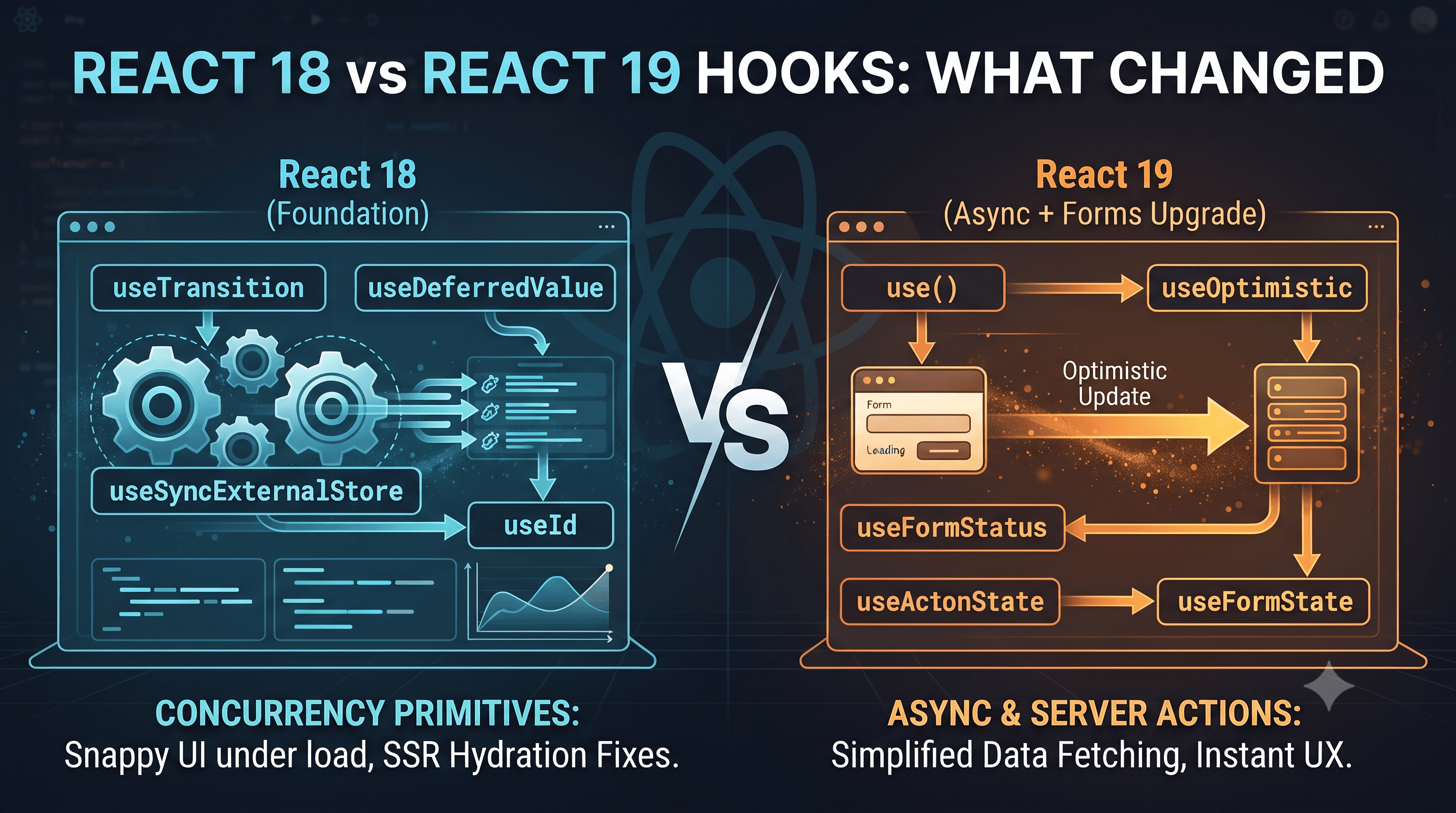
React 18 Hooks (Foundation)
React 18 gave us the concurrency primitives that keep UIs responsive under heavy updates.
Key additions in React 18
useTransitionuseDeferredValueuseSyncExternalStoreuseId
Why they matter
useTransitionanduseDeferredValuemake expensive renders interruptible, so typing and clicks stay snappy.useSyncExternalStoreis the correct concurrent-safe subscription API for external state (Redux, Zustand, browser APIs), preventing tearing.useIdfixes common SSR/client hydration ID mismatches.
React 19 Hooks (Async + Forms Upgrade)
React 19 adds hooks that dramatically simplify async rendering and forms.
New hooks in React 19
use()useOptimisticuseFormStatususeFormStateuseActionState(renamed path fromuseFormStatein practical migration discussions)
Why they matter
use()is the biggest shift: it can consume a Promise (or Context) during render and suspend until resolved.useOptimisticgives first-class optimistic UI without hand-rolled rollback plumbing.useFormStatus,useFormState, anduseActionStatemake Server Action form UX much cleaner, especially pending/error/success state handling.
Practical Notes You Should Remember
1. use() is special
use() is the only hook that can be used inside conditionals and loops.
That makes it fundamentally different from classic hooks and a strong replacement for many old useEffect + useState data-fetch patterns.
2. Server Actions pair naturally with React 19 hooks
If your app uses Next.js App Router (14+), this combo is high leverage:
useActionStatefor async action state ([state, dispatch, isPending])useOptimisticfor instant optimistic feedbackuseFormStatusfor nested submit/loading states without prop drilling
3. useTransition and useDeferredValue are complementary
For search/filter UIs, treat them as a pair, not alternatives:
- Wrap the state update in
useTransition - Pass the deferred value to expensive child rendering
This keeps both input responsiveness and heavy list rendering smooth.
Quick Reference
- React 18 = concurrency foundations
- React 19 = async and form ergonomics
- Next.js App Router + Server Actions = where React 19 hooks feel most impactful
If your codebase still relies heavily on useEffect for fetch + form orchestration, React 19 hooks can remove significant boilerplate while improving perceived performance.